

1. IBO Player pro
Robust player with M3U and Xtream support, easy device and playlist management.
Add / Manage Server
Robust player with M3U and Xtream support, easy device and playlist management.
Add / Manage Server
Lightweight option in the IBO family; add playlists via MAC / Device Key.
Manage Playlists
Modern UI with steady updates; supports M3U uploads and Xtream credentials.
Upload / Add Playlist
Feature-rich player with smooth playback across most Smart TV models.
Activate / Add Server
Fast activation and lightweight experience on Samsung/LG and others; supports codes and M3U.
Activate Device
Popular choice with multi-language support and large playlists on Smart TVs.
Activate / Add ServerNote: These apps do not provide channels. You must add your own service or playlist.
Quick guide to install IBO PRO, add your server, and start watching on your Smart TV.
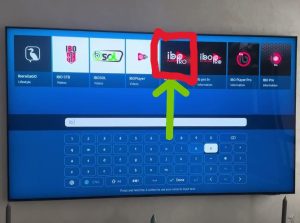
Store > Search “IBO PRO”
Open the TV app store and search IBO PRO. On LG and Samsung.

Add to Home Screen
Select Install and wait until the app appears on your home screen.
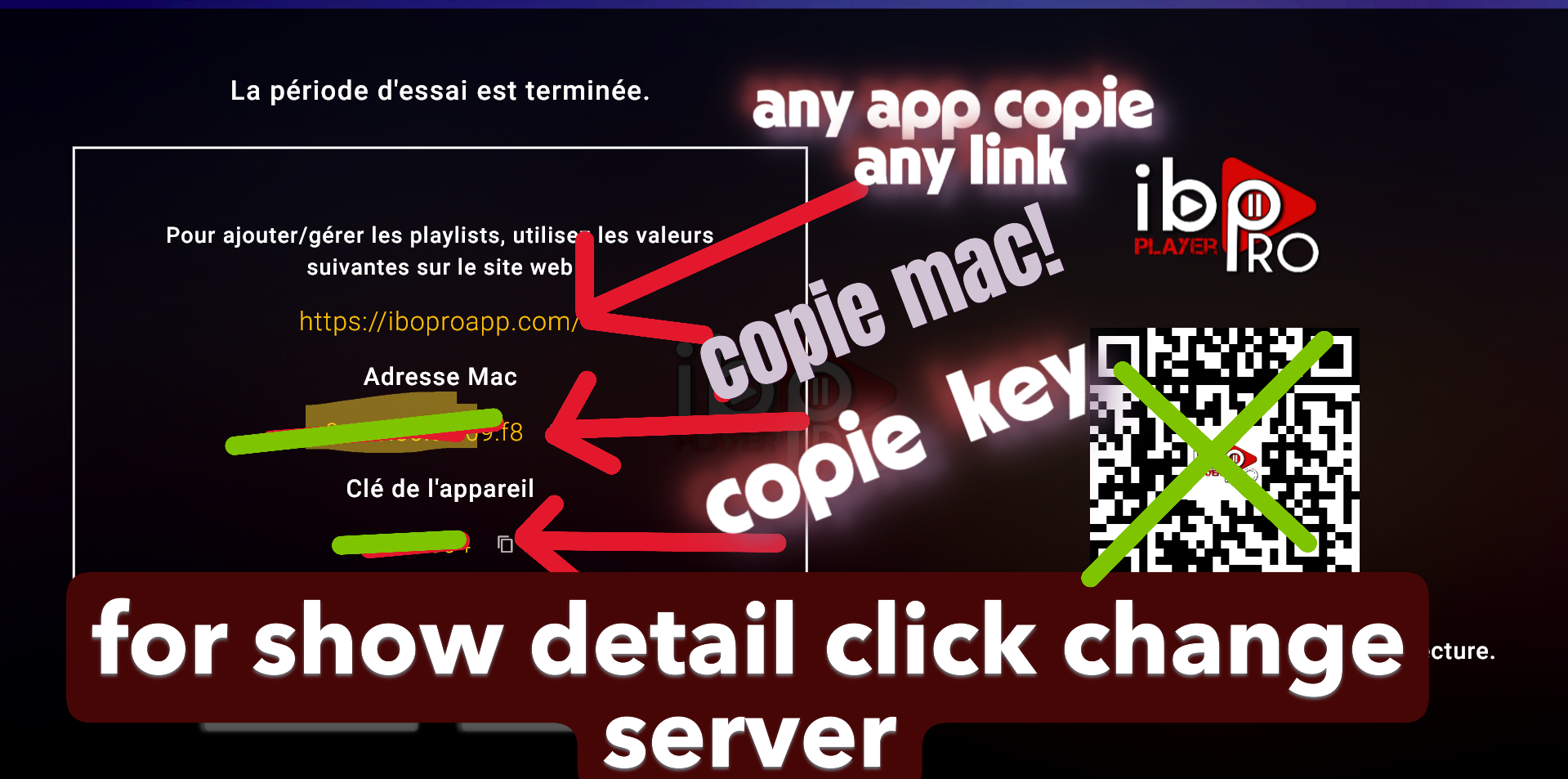
Open IBO PRO on TV
Launch the app and note the Device ID and/or Activation Key shown on the screen.
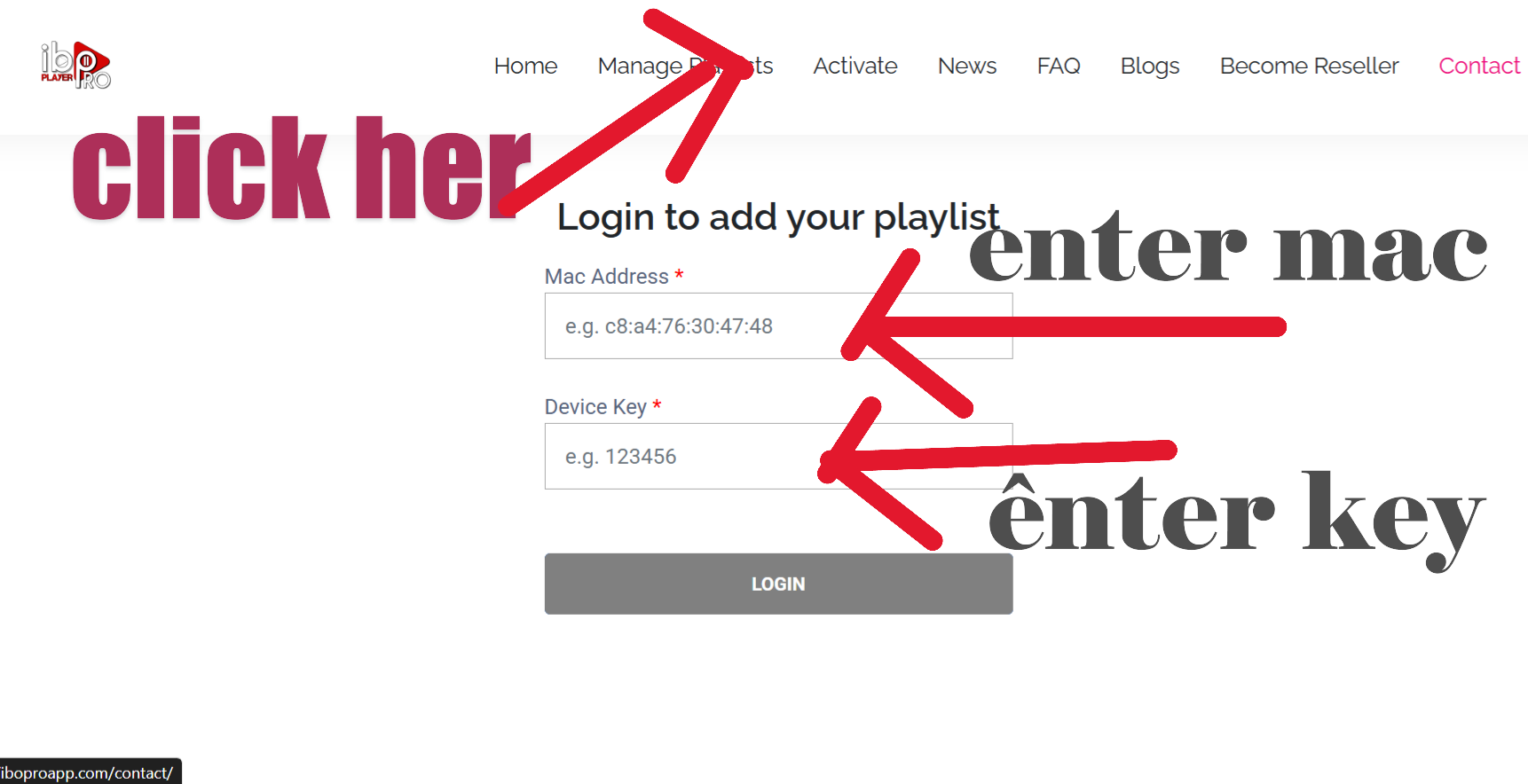
On phone or computer
Go to the IBO portal, log in with your device info, then add your M3U link or Xtream Codes:
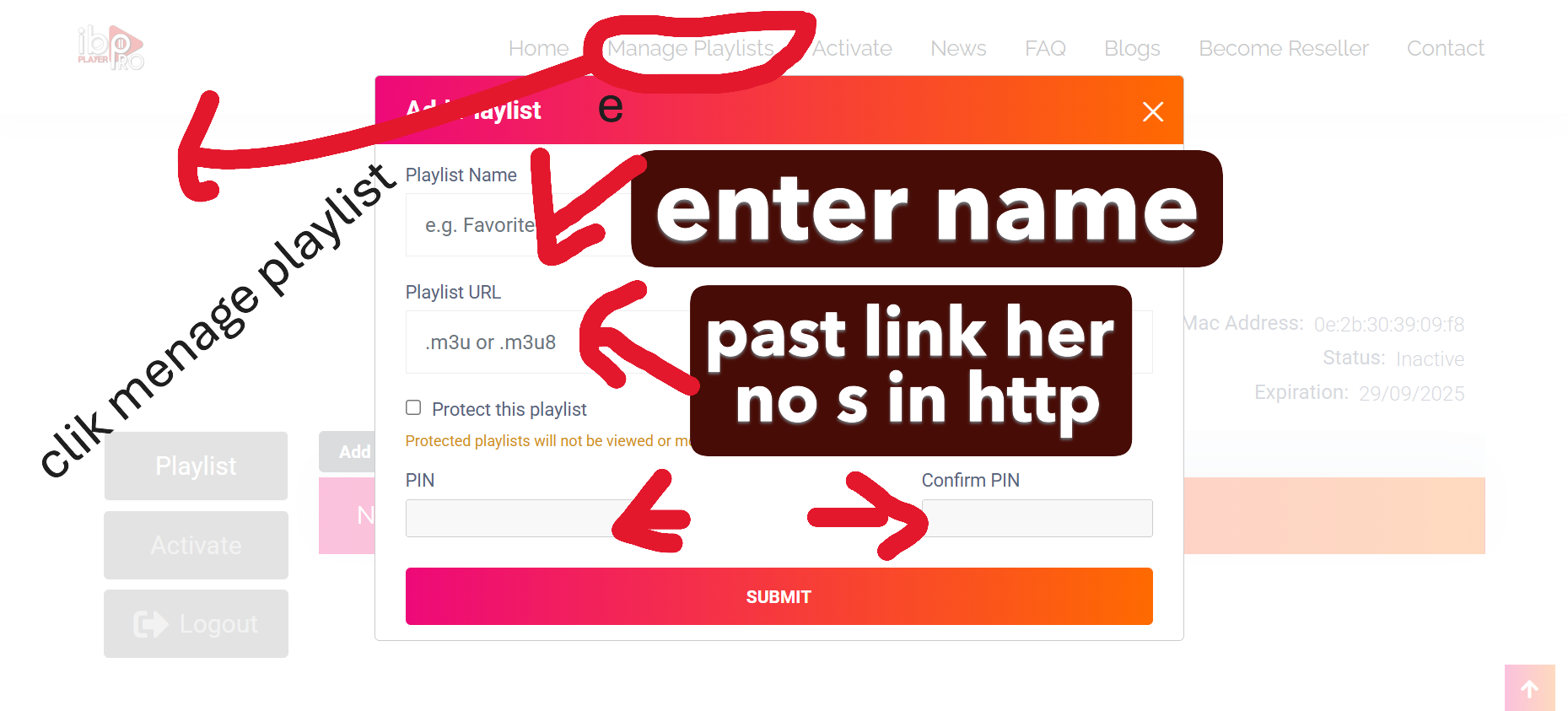
Enter server details
Insert your URL, username, and password in IBO PRO to sync and load your playlists.
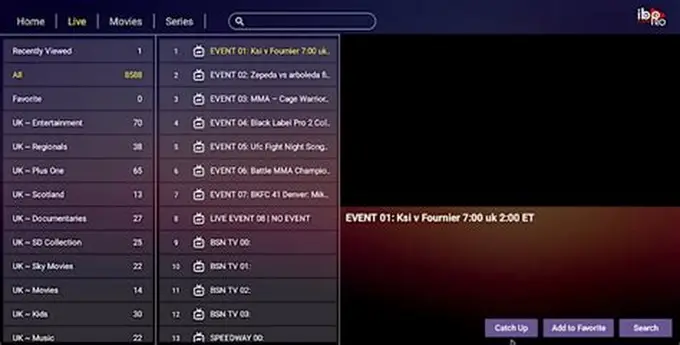
Live TV • Movies • Series
Open channels or VOD and start streaming. If categories don’t load, refresh or restart once.
Note: IBO PRO is a player. You must add your own IPTV service or playlist.