

IBO PRO PLAYER TRIAL 7D
 Open on VIDAA Store
These IPTV players work perfectly on all VIDAA OS TVs (Hisense, Toshiba, and others). Click on the official store link to install directly.
Open on VIDAA Store

Downloader Code:
📱 APK for Phone Open on VIDAA Store
 Open on VIDAA Store
 Open on VIDAA Store
 Open on VIDAA Store
Follow these simple steps to install and activate IPTV on your VIDAA Smart TV.
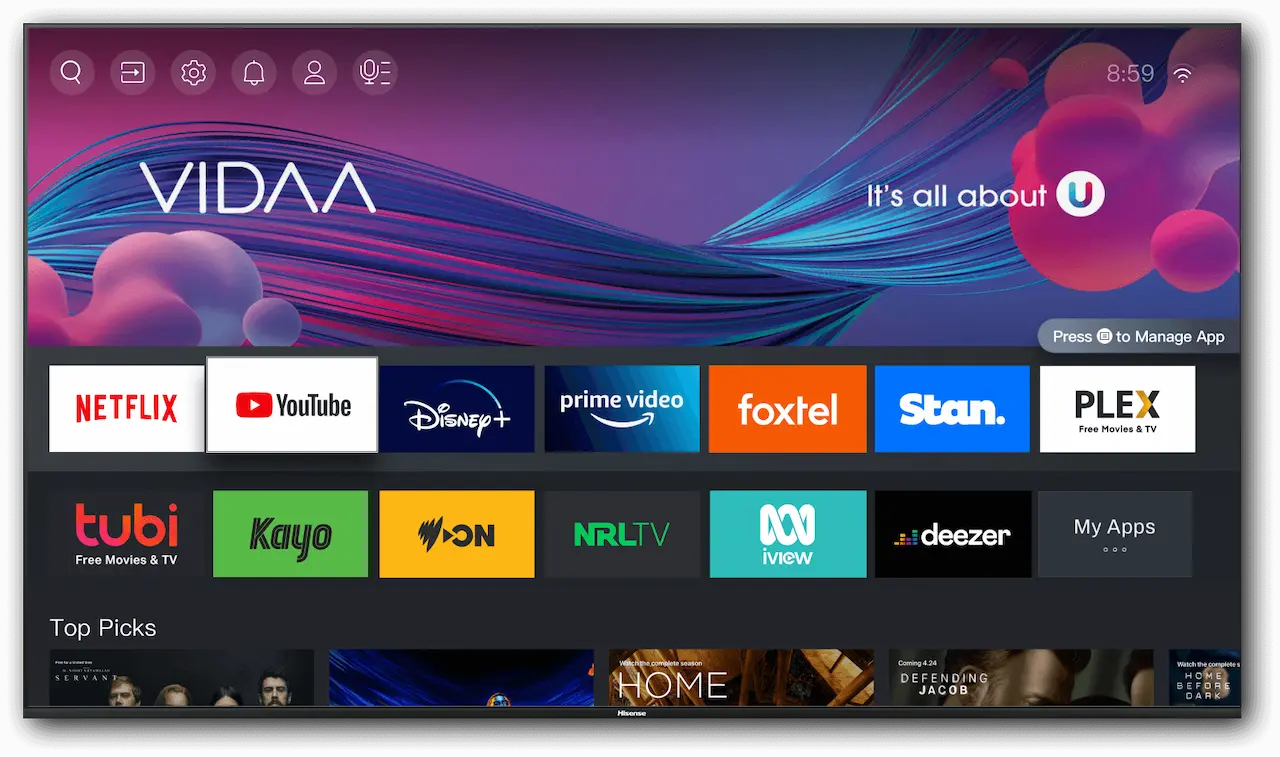
From your TV home screen, open the VIDAA App Store and search for an IPTV player such as Smart One.
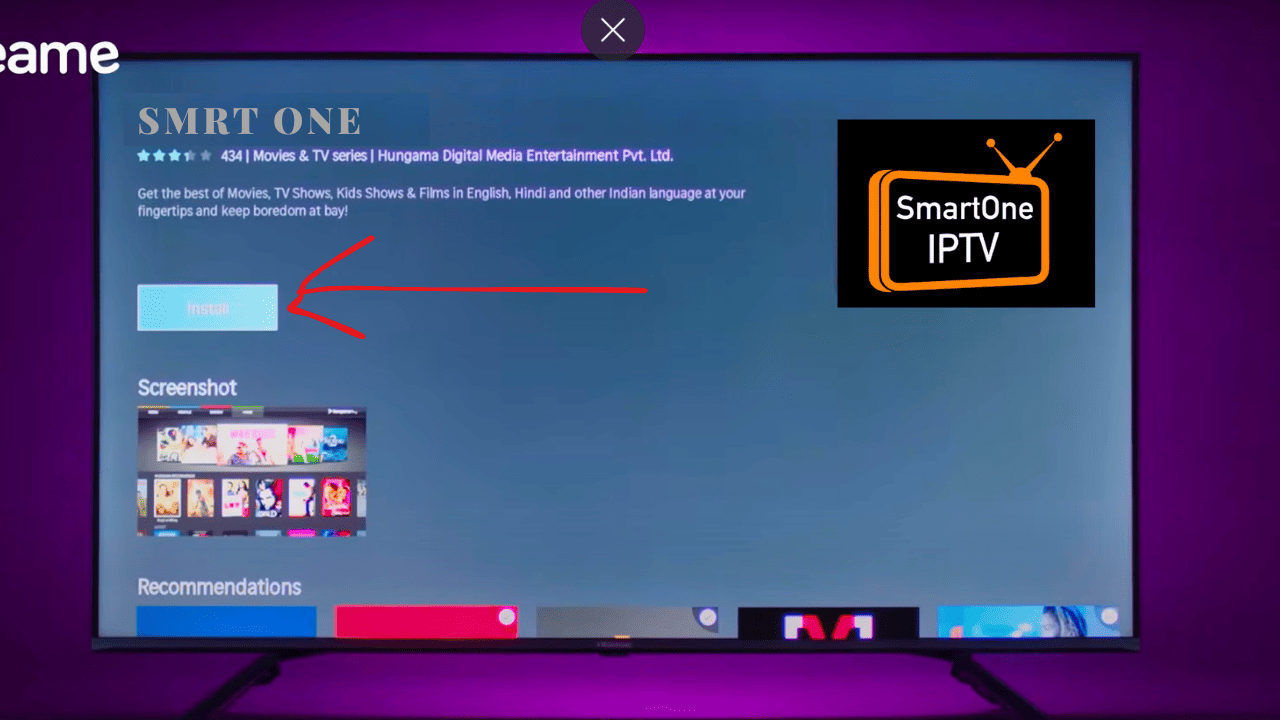
Choose your preferred IPTV player and click Install. Once installed, it will appear on your home screen.
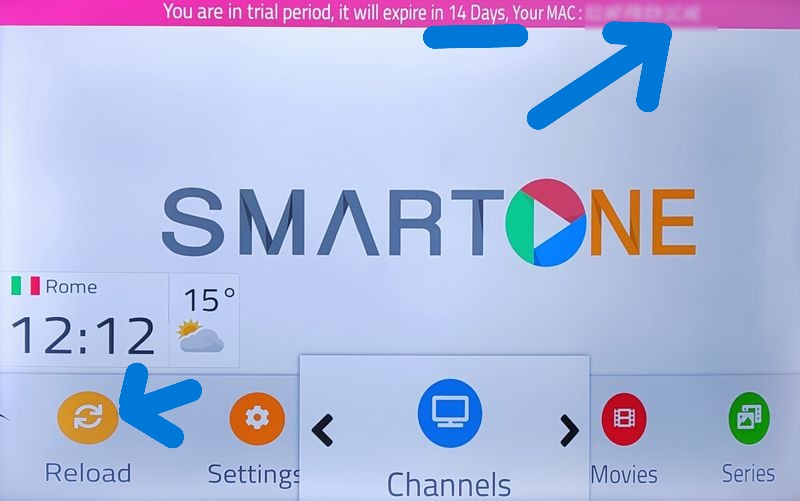
Open the IPTV app and take note of the MAC address or activation code displayed on the screen.
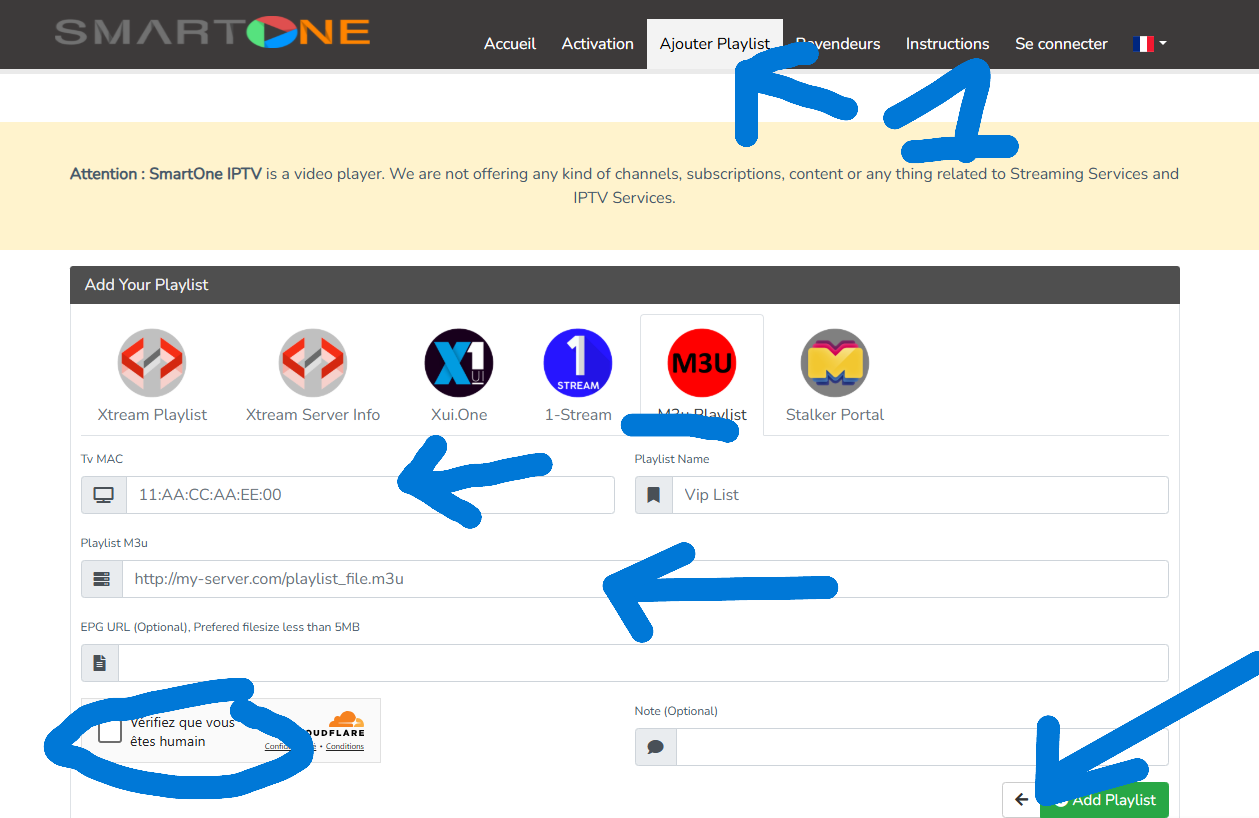
On your phone or computer, visit the IPTV portal. Enter your MAC address and paste your M3U or Xtream Codes link, then save the changes.
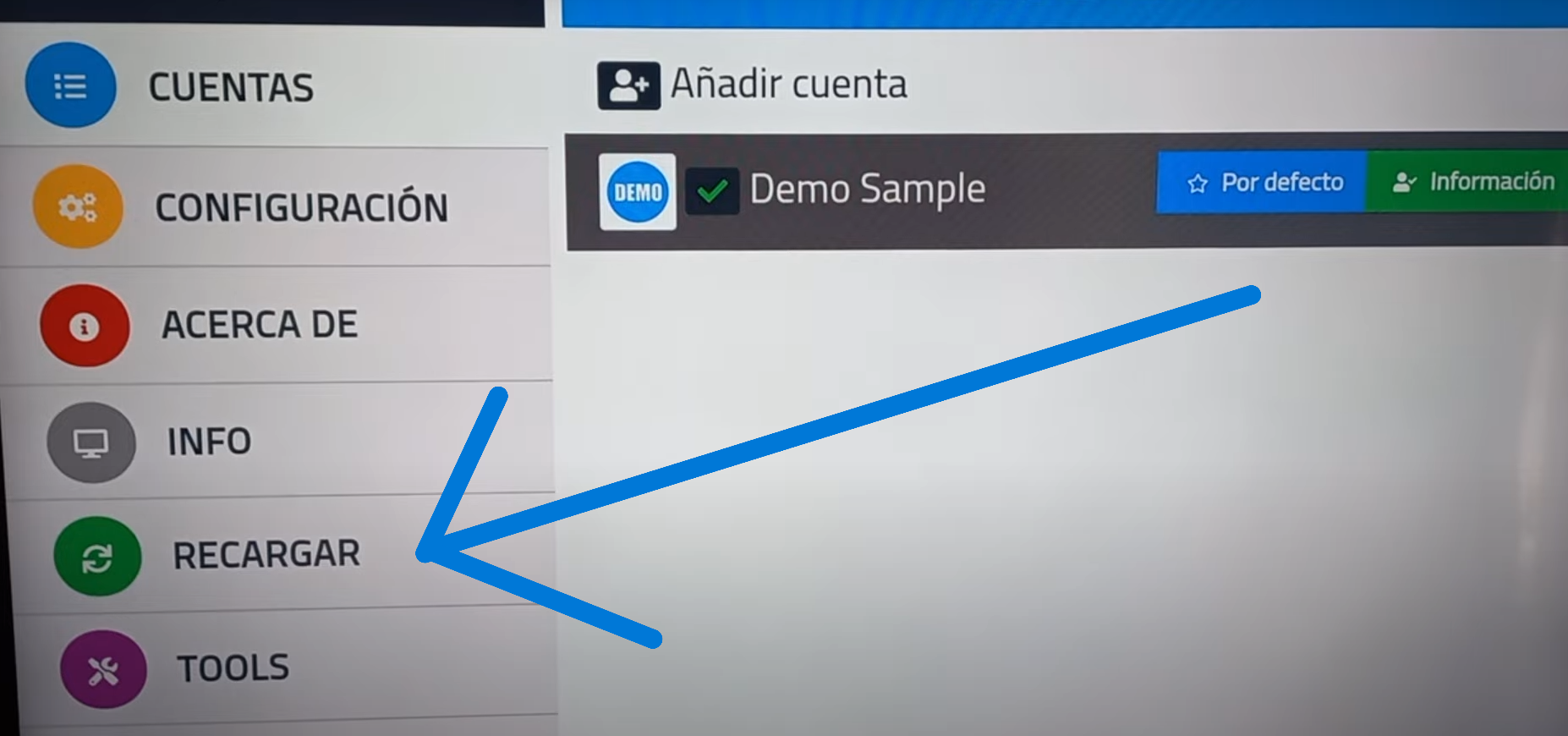
Go back to your VIDAA TV and relaunch the IPTV app. It will refresh and load your playlist automatically.
Your IPTV channels and VOD are now available. Enjoy live TV, movies, and series directly from your VIDAA Smart TV.